Tri Clipper · Mac, iPhone and iPad
Save the web into your own Trilium.
Tri Clipper saves web pages into your Trilium server, straight from Safari. It reads the article, drops the clutter around it, and files what is left as a proper note — HTML, with the title, author, publication date and address already attached as labels.
What you can clip
The part of the page worth keeping.
- The article, found for you: Mozilla’s Readability finds it, then only the HTML Trilium’s editor keeps anyway is kept
- Only what you selected
- Passages you highlighted, and nothing else
- The whole page
- A link with its description, when the page itself is not worth keeping
Templates
Every note lands where it belongs.
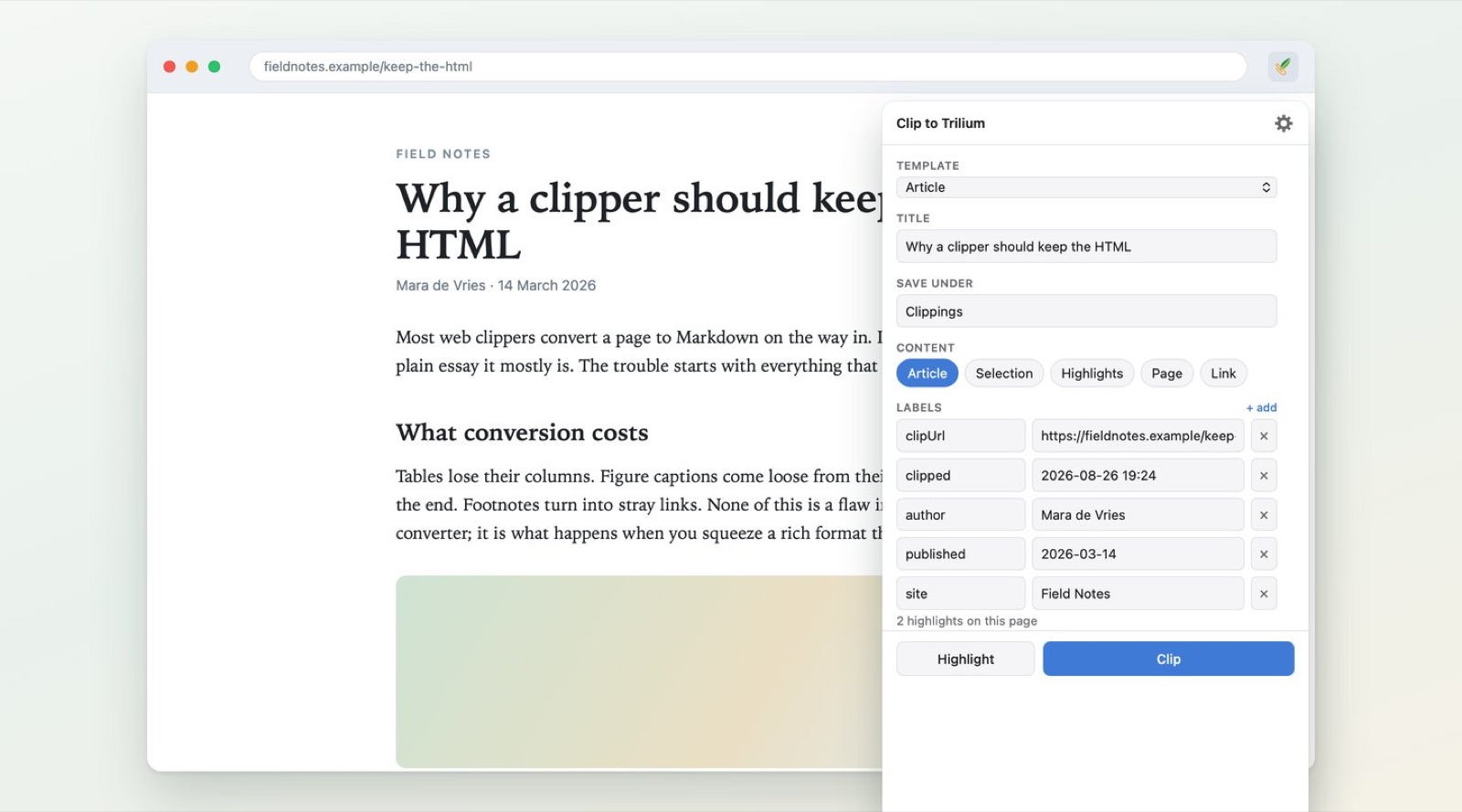
A template decides four things: where the note goes, what it is called, which labels it carries, and what its body looks like. Give a template the sites it should claim, and clipping from those sites picks it by itself.
Titles and labels are written with variables — the page title, its author, the publication date, any meta tag, any JSON-LD field, or the text of any element you name. Filters shape them: {{title|safe}}, {{author|split:","|first}}, {{published|date:"YYYY-MM-DD"}}.
Highlights
Mark what matters, clip only that.
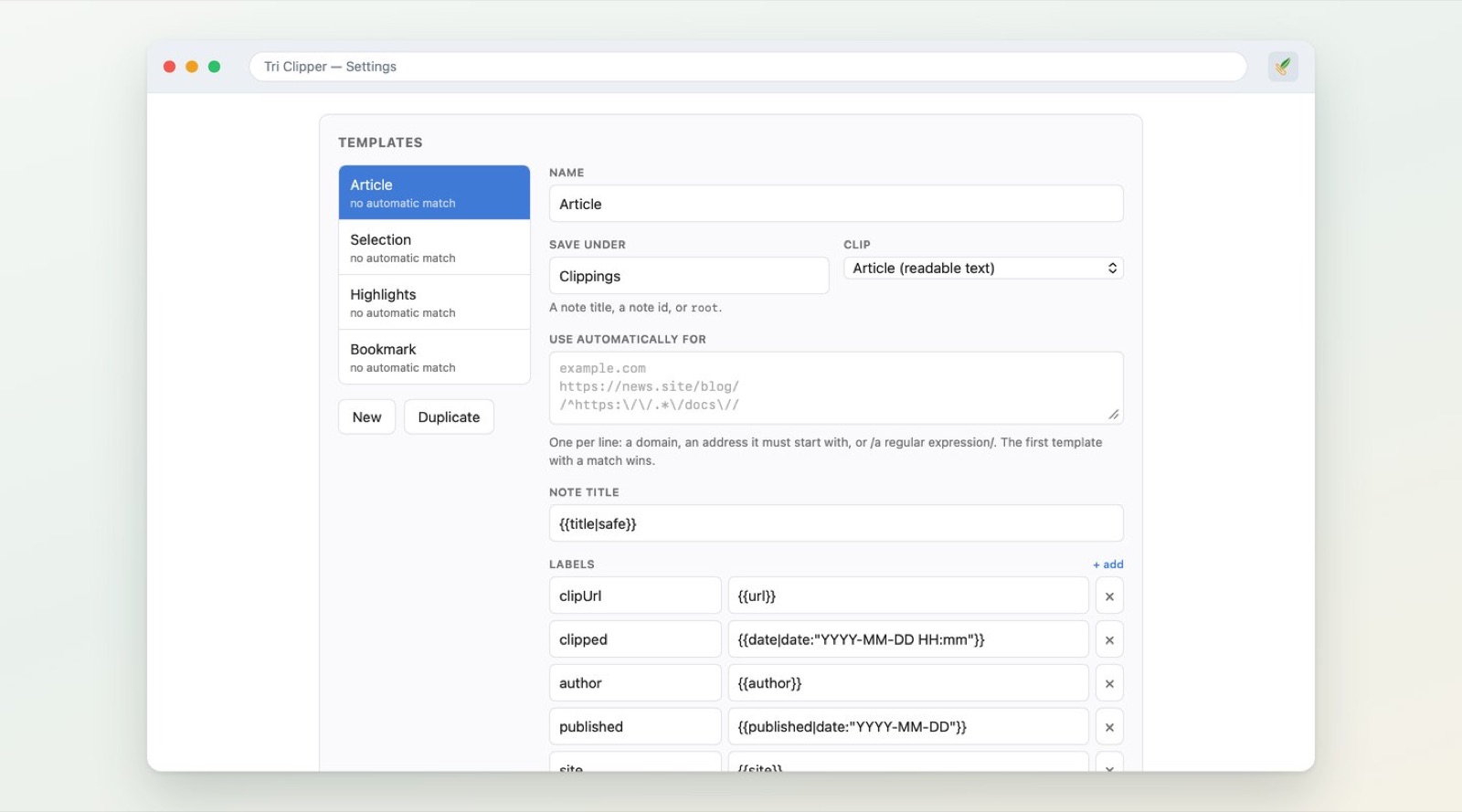
Turn on highlight mode, mark the passages worth keeping, and clip those. Clip the same page again later and the new passages join the note you already made, instead of starting a second one.
Before anything is sent
See the note before Trilium does.
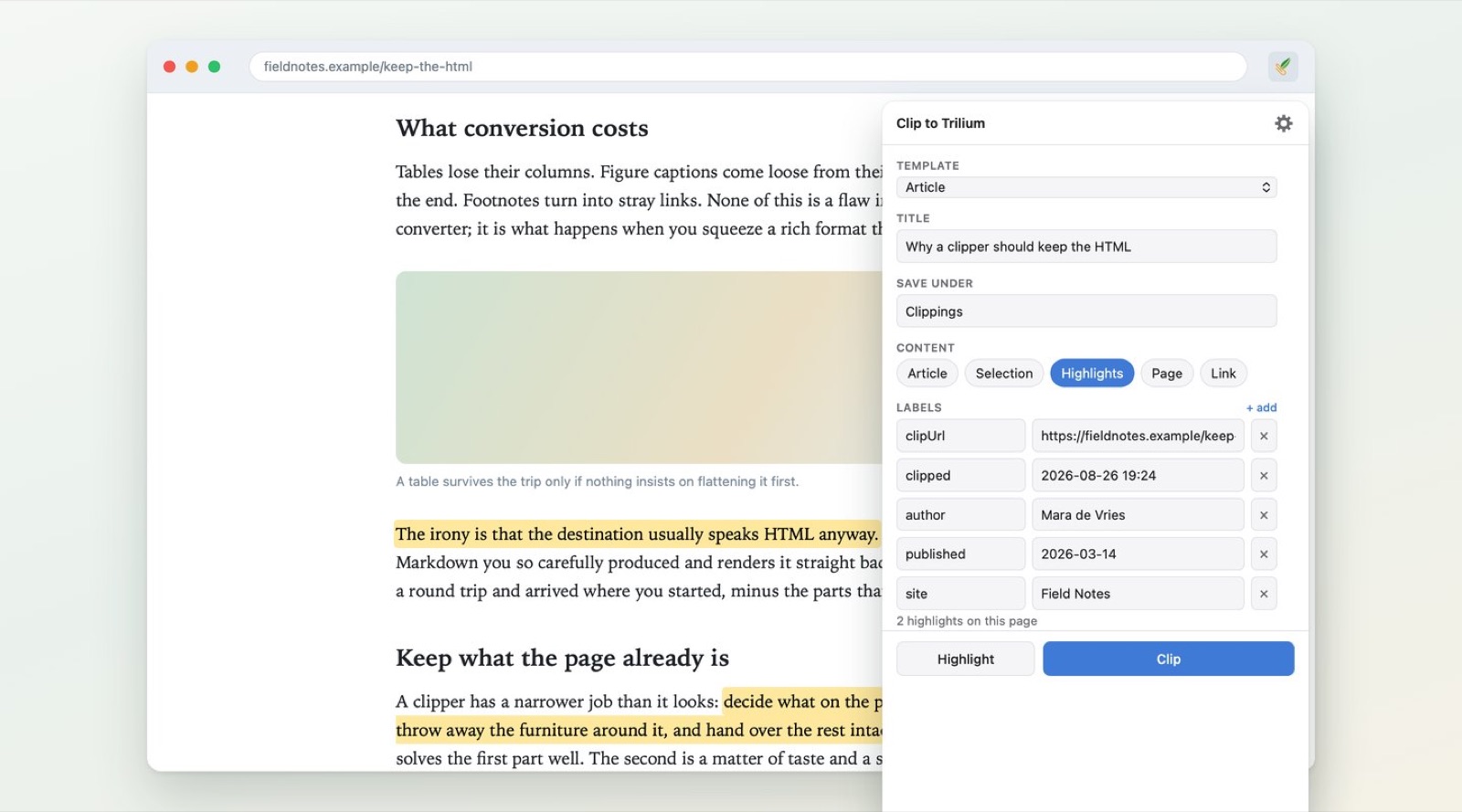
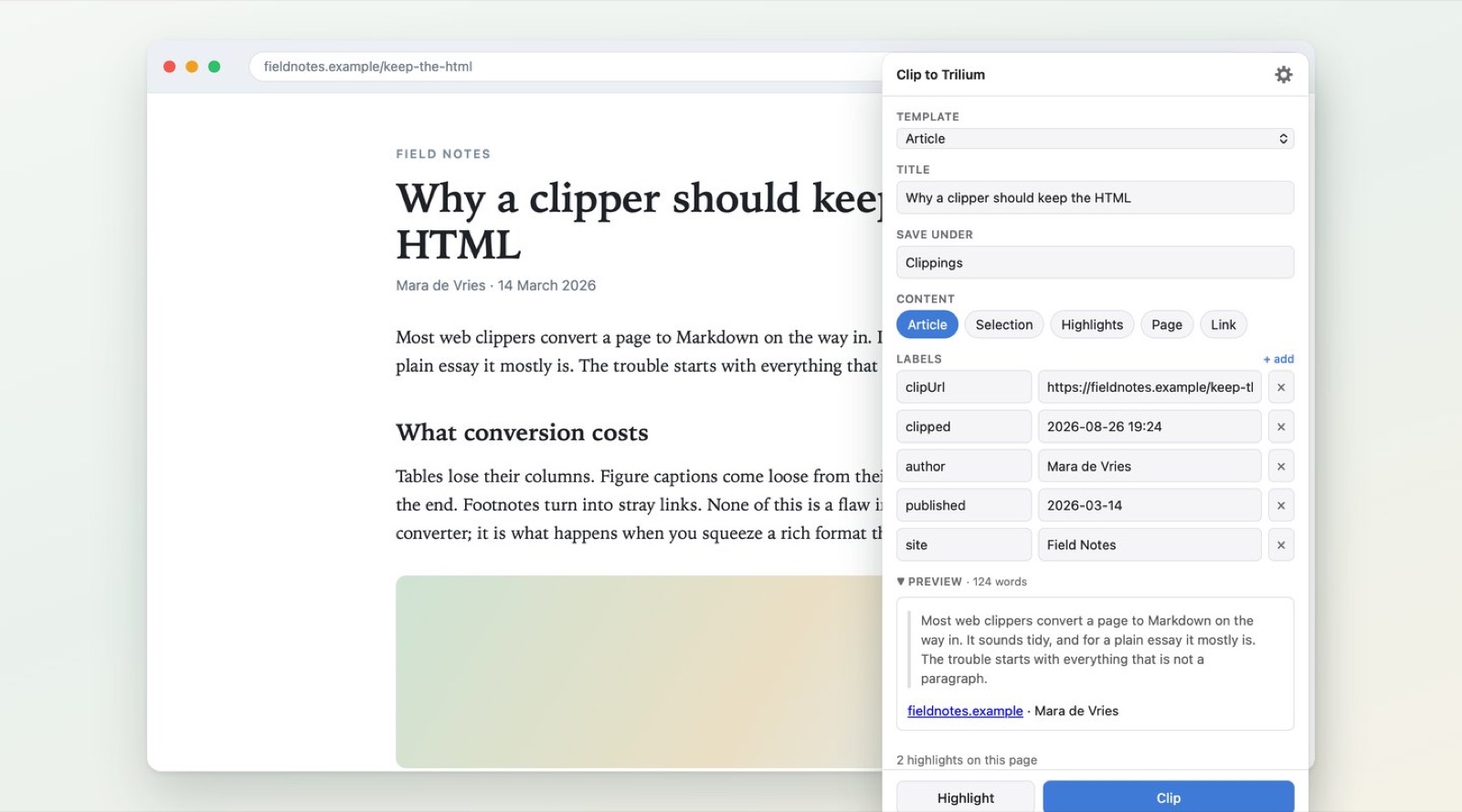
The popup shows the note that is about to be written: the real title, the real labels, the real body, rendered. Change any of them there and that is what Trilium receives.
Your server, your notes
Nothing in between.
Point Tri Clipper at your own Trilium and paste an ETAPI token. That is the only place anything is ever sent. There is no account to make, no service in between, and nothing is collected.
On Mac
A button in Safari’s toolbar, a context menu and a keyboard shortcut.
On iPhone and iPad
The clipper lives in Safari’s page menu, next to the address bar.
Free
On Mac, iPhone and iPad. Templates and settings are entered per device.
What you need
A Trilium server with ETAPI.
A Trilium server with ETAPI enabled that your device can reach, and a token you make under Options → ETAPI. Built and tested against Trilium 0.105. A server on your own network can be plain http; one reached from further away — which is what a phone away from home needs — has to be https.
Free on the App Store now, for Mac, iPhone and iPad. On the Mac it is a button in Safari’s toolbar; on iPhone and iPad it lives in Safari’s page menu.
Tri Clipper is not affiliated with or endorsed by the Trilium project.